
Transport management software: fleet, trips and CMR

4transports is web-based transport management software for hauliers and dispatchers. Keep customers, vehicles, drivers, transport orders and CMR records in one account. Dispatchers enter trip details, assign a driver and vehicle, and update delivery status manually.

Vehicle records
Trip planning
Drivers, licences and certificates
CMR register
Inspection and insurance dates
Revenue and delivery reports
Trip statusIn transit
Planned01Assigned02In transit03Delivered04
Example trip CT-1042 · Origin → DestinationDriver + vehicle assignedCMR recordedInspection due in 9 days

What you can manage in 4transports

Fleet, drivers, customers, orders, CMR notes and upkeep in one place, sized for the small and mid-sized haulier that plans trips by phone and spreadsheet today.

A fleet register built around ITP and insurance

Every vehicle has a plate, a type (truck, articulated lorry, van, tractor unit or other), a capacity in kilograms and a status: available, on a trip or in maintenance. The vehicle record includes expiry dates for the periodic technical inspection (labelled ITP in the panel) and insurance. Enter and maintain these dates yourself.
Drivers with licence and professional attestation

A driver record holds the phone number, the licence category, the licence expiry and the expiry of the professional attestation, plus a status of free, on a trip or off. Nobody has to keep those dates in a separate spreadsheet.

A 30-day expiry counter

The summary counts every document that expires within the next 30 days across vehicles and drivers - ITP, insurance, licence and attestation. A document that has already expired is counted too, so it cannot slip off the list. It is a counter, not a reminder message.

Orders that follow a fixed life cycle

An order carries a code, the customer, origin, destination, cargo type, weight, price, currency, distance and planned date. It moves from planned to in transit, delivered and invoiced, and can be cancelled along the way. The dispatcher updates the order status as the work progresses; the invoiced status records a step completed in a separate invoicing tool.

Assigning takes the driver and the vehicle off the board

As soon as you assign a driver and/or a vehicle to an order, they switch to on a trip. They are released again when the order is delivered or cancelled, and a delivered, invoiced or cancelled order can no longer be reassigned.

A CMR register tied to the trip

Each CMR consignment note is stored with its number, the order it belongs to, the sender, the consignee, the cargo, an issue date and a status of issued, signed or delivered, so the paper that travelled with the load can be found from the trip.

Customers with tax ID and contact details

Customer records keep the company name, the tax ID, a contact person, a phone number and an e-mail address, and an order can pick the customer from the list instead of retyping the name.

A maintenance log per vehicle

Service, repairs, ITP and tyre jobs are scheduled against a vehicle with a date and a cost, then marked as done, with the cost recorded for each job against the vehicle.

Monthly numbers without a spreadsheet

The report shows revenue for the month against the previous one, a six-month revenue series, kilometres on this month's delivered orders, the share of deliveries made on or before the planned date, open orders (planned or in transit), available vehicles and how much of each vehicle type is out on the road.

From the first vehicle to the monthly report

  1. Enter the fleet and the drivers

    Add the vehicles with their ITP and insurance dates, and the drivers with licence and attestation dates.

  2. Add customers and orders

    Create the customer once, then raise orders with route, cargo, weight, price and the planned date.

  3. Assign and follow each trip

    Pick the driver and the vehicle, and move the order through in transit and delivered as the load moves.

  4. Record the CMR and the upkeep

    Store the CMR note against the trip and log maintenance against the vehicle.

  5. Close the order and read the month

    Mark a delivered order as invoiced once you have issued the invoice elsewhere, then read revenue and on-time delivery in the report.

What it does not do

So you can judge the fit before you start:

  • Route planning is manual: enter the origin, destination and distance yourself. There is no route optimiser or automatic distance calculation.
  • There is no GPS tracking and no live map: the status of a trip is changed by the dispatcher in the panel, and truck positions are not recorded.
  • CMR notes are registered, not issued electronically: 4transports does not produce an e-CMR.
  • It is not connected to any national goods-transport monitoring or e-freight system, so those declarations stay where they are today.
  • It does not issue invoices. An order can be marked as invoiced, and the invoice itself is made in an invoicing tool such as 4invoices, which belongs to the same 4b2b ecosystem.

Check the workflow before choosing a plan

Start with one vehicle, one driver and one transport order. Check the fields you need, record a CMR note and review the report. Revenue totals add the amounts entered without currency conversion; use a consistent currency when comparing totals.

Product capabilities checked on .

Website themes for your transport company

Pick a theme from the 4buildsite gallery, the website builder of the 4b2b ecosystem — a product separate from 4transports. Customise it in the visual editor and publish your company site.

Deasel

Deasel

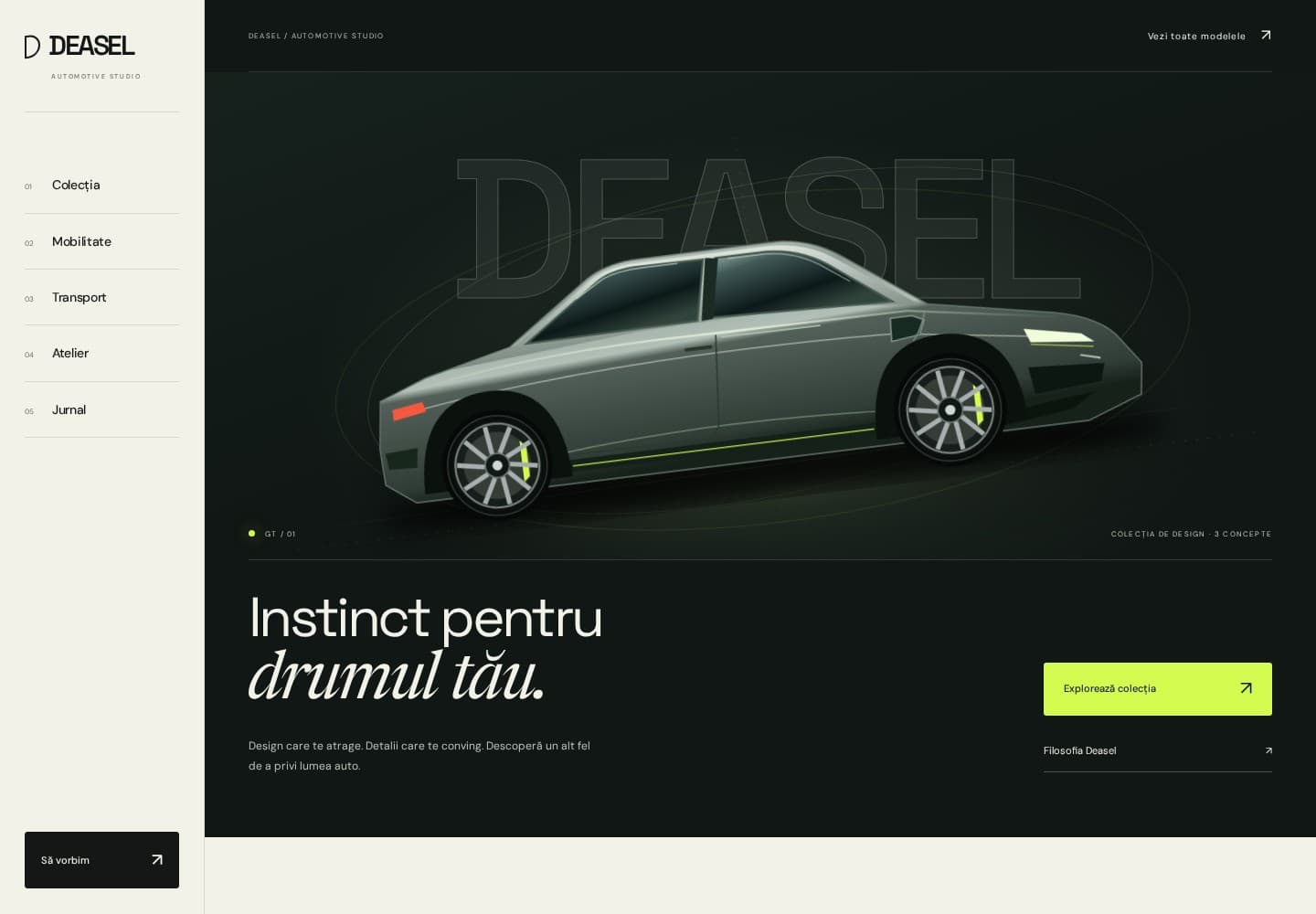
Premium automotive theme for showrooms, mobility, transport and workshops. Side navigation, a studio hero, graphite, acid green and original illustrations. A concept collection, journal and contact requests. Romanian and English.

Affiliate program

Earn recurring commissions by recommending the 4transports platform to other transport companies, freight forwarders and couriers

01

Sign up for free

Create your account and instantly receive your affiliate code and a unique referral link.

02

Recommend transport companies

Referred transport companies subscribe using your code or link.

03

Earn commissions

Receive a recurring commission from every payment made by transport companies that used your code.

See details
4b2b.net
Business Ecosystem
4conta.ro
Accounting
4invoices.net
Invoicing App
4expenses.net
Expense Management
4notify.net
Notifications
4hosting.net
Hosting
4database.net
Databases
4buildsite.net
Website Builder
4myapp.net
App Builder
4avatars.net
AI Avatars
4chaty.net
AI Chatbot
4webagency.net
Web Agency Software
4softedu.net
Education Websites
4softcrm.net
CRM Platform
4softerp.net
ERP System
4softhr.net
HR Management
4mystaff.net
Staff Portal
4myprojects.net
Project Manager
4mycontracts.net
Contracts
4docs.net
Document Management
4appointments.net
Appointments
4marketingonline.net
Marketing
4insurance.net
Insurance
4property.net
Real Estate
4lawyers.net
Legal Software
4mygarage.net
Auto Service
4driving.net
Driving Schools
4fleet.net
Fleet Management
4myevents.net
Events
4therapy.net
Therapy
4clinics.net
Clinics
4dental.net
Dental Practices
4restaurants.net
Restaurants
4beautify.net
Beauty Salon
4gym.net
Fitness Gyms
4guards.net
Security Companies
4softvet.net
Veterinary Clinics
4softauto.net
Automotive Business Software
4construct.net
Construction Companies
4marketplace.net
Marketplace
4shopy.net
Online Store
4pricing.net
Price Comparison
4salefood.net
Food Delivery
4rentify.net
Rentals
4transports.net
Transport
4agencytravel.net
Travel Agency
4hotel.net
Hotel Management
4ong.net
NGO Management